One bot.
Your whole server.
Tickets with an AI assistant that answers from your own server’s knowledge. Moderation, AutoMod, leveling, applications and more. All set up from one web dashboard, so nobody has to memorize commands.
Takes about a minute. The setup checklist walks you through the rest.
-
1D3RAPP
-
Kai
how long does the whitelist application take? applied yesterday
-
1D3RAPP
Applications are reviewed within 24 hours. When yours is accepted you’ll get the @Whitelisted role automatically, plus a DM from me.
Answered from your knowledge base · Whitelist FAQ -
Kai
it says accepted but i still don’t have the role
-
1D3RAPP
That one needs a person. I’ve let the @Support team know. Someone will be with you shortly.
- Mara claimed this ticket.
-
MaraStaff
Found it, the role didn’t sync. Added it now 👍
-
Kai
works now, thank you!!
-
1D3RAPP
- uptime, last 30 days
- 99.99%
- features, one bot
- 30
- slash commands
- 44
- AI answers, around the clock
- 24/7
Servers that run on 1D3R
Communities we partner with. They run their tickets, moderation and more on 1D3R every day.



Everything your server runs on
30 features in one bot, each switched on and set up from the dashboard. Turn on only what you need.
-
Support
Tickets
A ticket panel with your own ticket types, each opening a private channel for the member and your staff.
- Ticket types with their own staff and message
- Claim, transfer and close requests
- A log entry for every ticket
/ticketpanel/claim/closerequest -
Support
AI support assistant
Answers members’ questions in tickets using your server’s own knowledge, then hands off to staff when it should.
- Answers from your FAQ and past tickets
- Brings in staff when a person is needed
- Can’t ping @everyone, roles or users
-
Support
Knowledge base
Teach the assistant once: FAQ entries plus summaries of solved tickets that your staff approve.
- FAQ entries you write in the dashboard
- Approved ticket summaries
- Search it like the assistant does
/kbsearch -
Support
Help menu
One command shows each member what they can use here, plus your own topics like rules and guides.
- Lists only commands a member can use
- Your own topics with a live preview
- Private replies, never channel spam
/help -
Moderation
Moderation
Fifteen moderation commands that log every action to a channel you choose and DM the member why.
- Ban, kick, timeout, warn and purge
- Lock channels and set slowmode
- Choose which roles can use them
/warn/timeout/ban -
Moderation
AutoMod
Filters that catch spam, invite links and blocked words before your staff have to, with punishments that escalate.
- Invite, link, spam and word filters
- Raid protection for join waves
- Escalates to timeout, kick, then ban
-
Moderation
1DShield
Anti-nuke. If someone starts mass-deleting channels, banning members or handing out admin, 1DShield takes their roles within seconds and tells you. Premium rebuilds what they deleted.
- Stops mass deletes, bans, kicks and spam channels
- Takes their roles and alerts you in seconds
- Premium: daily snapshots and one-click rebuild
-
Moderation
1DPurge
A trap channel that catches spam bots and hacked accounts. Anyone who posts in it is removed automatically, and a warning keeps count.
- Kick, ban, timeout or just alert staff
- Staff and moderators are never caught
- Live count of everyone caught
-
Moderation
Member history
Look up anyone and see their warnings, timeouts, bans and AutoMod record on one page, from the dashboard or with /history.
- Everything on one timeline
- Your staff role can use it straight away
- Premium adds tickets, applications and private staff notes
/history -
Moderation
Server logs
Pick exactly which events get logged, and where: joins, leaves, edits, deletes, roles and more.
- Choose events one by one
- Messages, members, roles and channels
- Clear, readable log messages
-
Moderation
No-ping
Stop members from pinging your staff directly, and point them to a ticket instead.
- Protect any role from direct pings
- Your own reminder message
- A button to open a ticket instead
-
Community
Leveling and awards
XP for chatting, level-up messages, role rewards, badges and a themed profile card for every member.
- Role rewards at any level
- Badges and staff awards
- Profile cards and a leaderboard
/rank/leaderboard/profile -
Community
1DCount
A counting channel your community plays together: chase the server record, earn ranks for your profile card and a chat XP boost.
- Saves, math and penalties, all your choice
- Ranks on profile cards, with XP boosts
- Milestones and records celebrated
/counting -
Community
1DShop
Sell FiveM scripts, vehicles and more in Discord. Members fill a cart, check out in a private ticket and pay you directly; staff confirm and the bot hands out the roles.
- Your own PayPal, Cash App and more
- Purchase tickets, terms and payment photos
- Reviews, spend roles and cart reminders
/shop/cart -
Community
1DDrop
Giveaways members join with one button. Choose who can enter, and winners are drawn with a code locked in before anyone joined, so the draw is provably fair.
- Role, level, account age and Booster rules
- Reroll, end early and DM the winners
- Premium: bonus entries, repeats and claim timers
/giveaway -
Community
1DVote
Polls with live bars or hidden results, anonymous voting and role limits. Members can change their vote until it closes.
- Pick one, pick several, or rank them
- Templates, timers and who-can-vote rules
- Premium: 25 choices, weighted votes, results image
/poll -
Community
Applications
Build forms for staff, whitelist or anything else. Members apply in Discord and you review on the web.
- Forms with your own questions
- Recruitment panels in any channel
- Review and decide on the web
-
Community
Welcome
Greet people the moment they join with your own message and image, and give them a starting role.
- Welcome message and image
- Automatic role on join
- Your colors and footer
-
Community
Reaction roles
Let members pick their own roles from buttons or menus, with limits so nobody grabs them all.
- Buttons or dropdown menus
- Limit how many they can pick
- Pick-one groups, like colors
-
Community
Custom commands
Your own commands that reply with text or a full embed, without writing any code.
- Text or embed replies
- Limit them to a role
- Edit them any time
-
Community
Embed builder
Design rich messages with a live Discord preview, then post them to any channel.
- Live preview as you type
- Saved templates
- Search any channel or role
-
Community
Sticky messages
Keep an important message at the bottom of a busy channel, re-posted as people chat.
- Stays the last message
- Text or embed
- Any channel you choose
-
Community
Resource status
Live panels where members claim and release shared things, like units, vehicles or slots.
- Claim and release with buttons
- Updates live for everyone
- Clear who has what
-
Premium
Voice recordings
Record a voice channel, with a notice to everyone. Get a transcript and AI meeting notes afterwards.
- Recording notice played on join
- Transcript with who said what
- AI meeting notes
/record start/record stop -
Premium
Web ticket transcripts
Every closed ticket saved as a readable web page your staff can search, with an AI summary.
- The full conversation, easy to read
- AI summary at the top
- Only your staff can open them
-
Premium
Ticket ratings and staff performance
Members rate their ticket. You see who handles the most, who replies fastest and who gets the best ratings.
- Star ratings with comments
- Reply and close times per person
- Staff check their own with /mystats
/mystats -
Premium
Server insights
Growth, activity, busy hours and which channels people use, plus a weekly report in Discord.
- Members, messages and voice time
- Busiest hours and channels
- Weekly report to a channel
-
Premium
AI application pre-screening
A neutral summary and any red flags on each application, ready before you start reviewing.
- Summary of every answer
- Flags things worth checking
- You still make every decision
-
Premium
Profile card designer
Six extra card themes, plus a designer to move, restyle and add anything on your members’ profile cards.
- Drag, resize and restyle everything
- Your own backgrounds and images
- 12 fonts and any colors
/profile -
Premium
Custom branding
Give the bot its own name, avatar, banner and bio in your server, so it feels like yours.
- Name and avatar
- Banner and bio
- Only in your server
Replace five bots with one
Most servers stack a ticket bot, a moderation bot, a leveling bot, a welcome bot and a forms tool, each with its own setup and its own way of doing things. 1D3R does all of it, and every piece knows about the others.
- One dashboard. Every setting for every feature, on the web, with previews before anything posts.
- Answers that know your server. The assistant learns from your FAQ and from tickets your staff have already solved.
- See who’s helping. Ratings and reply times show which staff members your community counts on.
Set it all up on the web
Sign in with Discord, pick your server and change anything in a few clicks. You choose which of your roles can open each part.
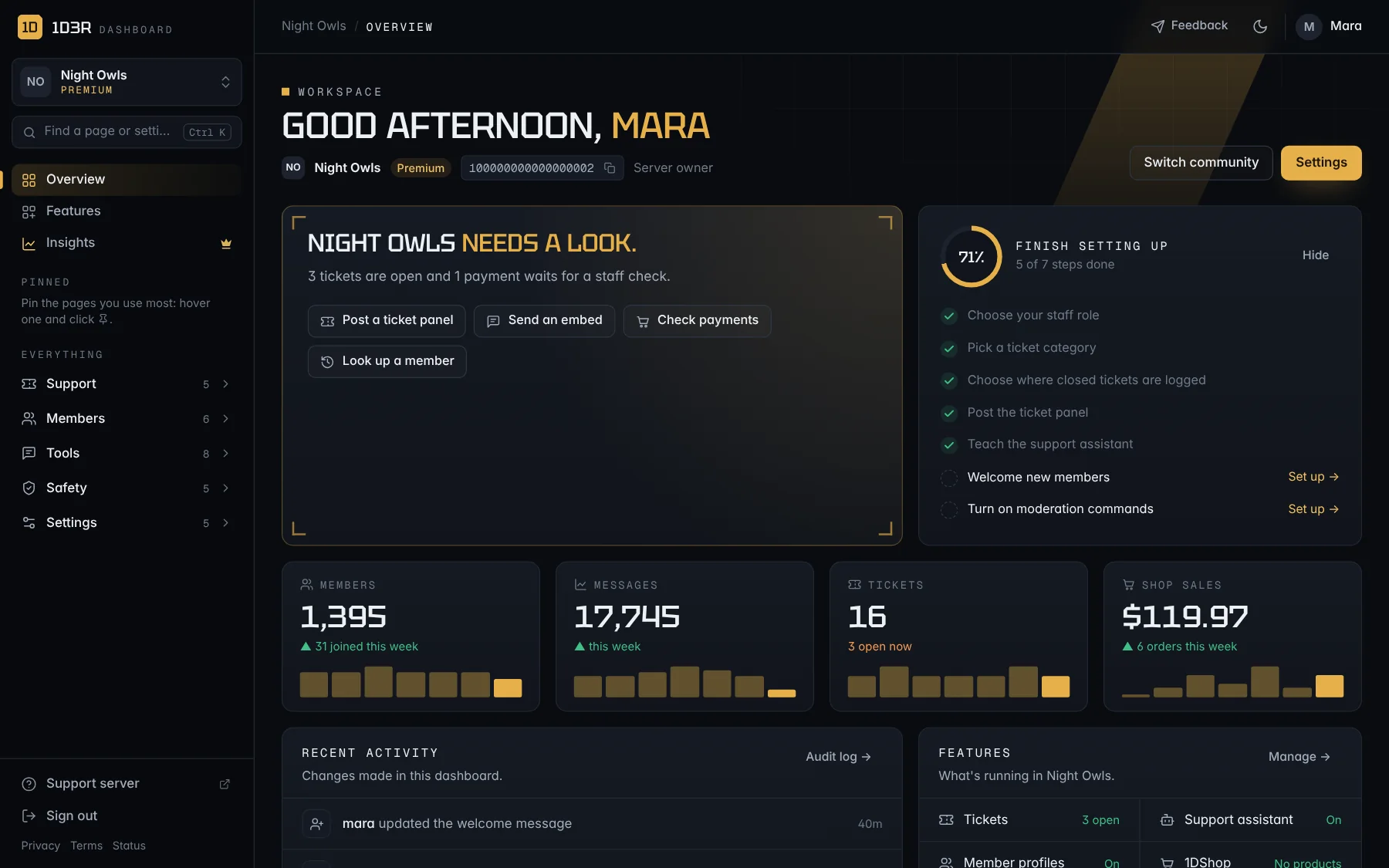
What needs a look, your week in numbers, and a setup checklist that ticks itself off.
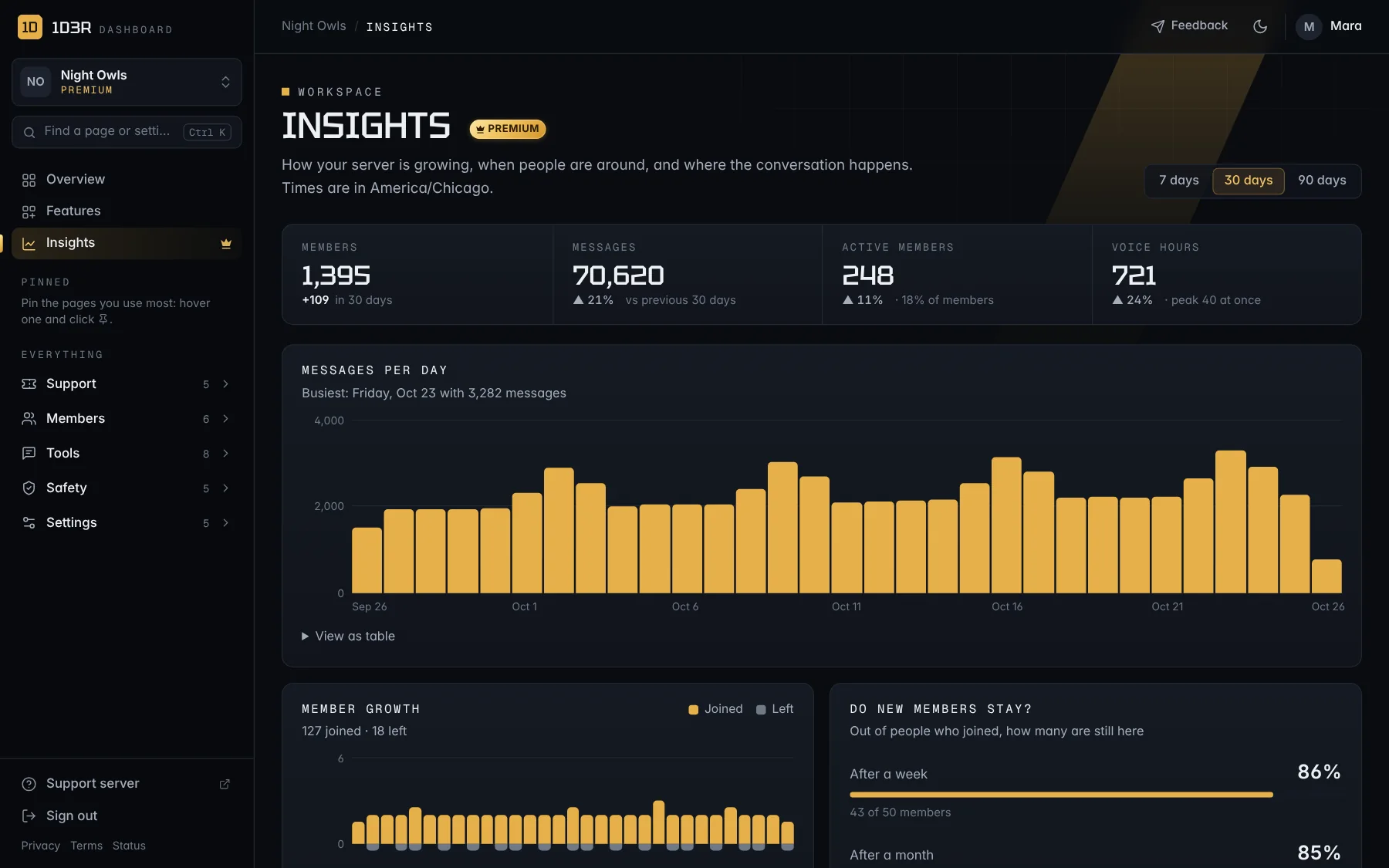
Growth, activity and busy times, with a weekly report in Discord.
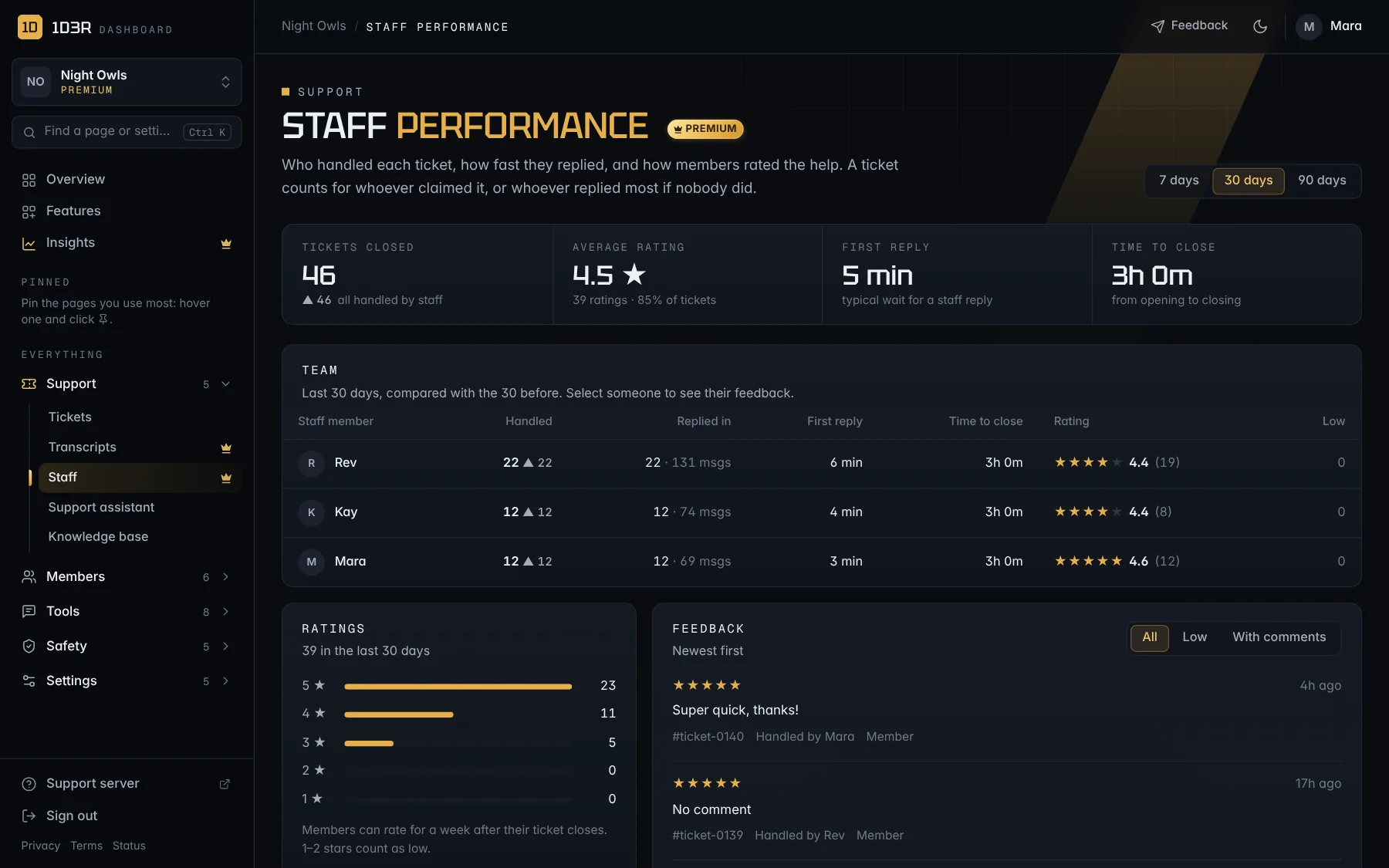
Tickets handled, reply times and ratings for every staff member.
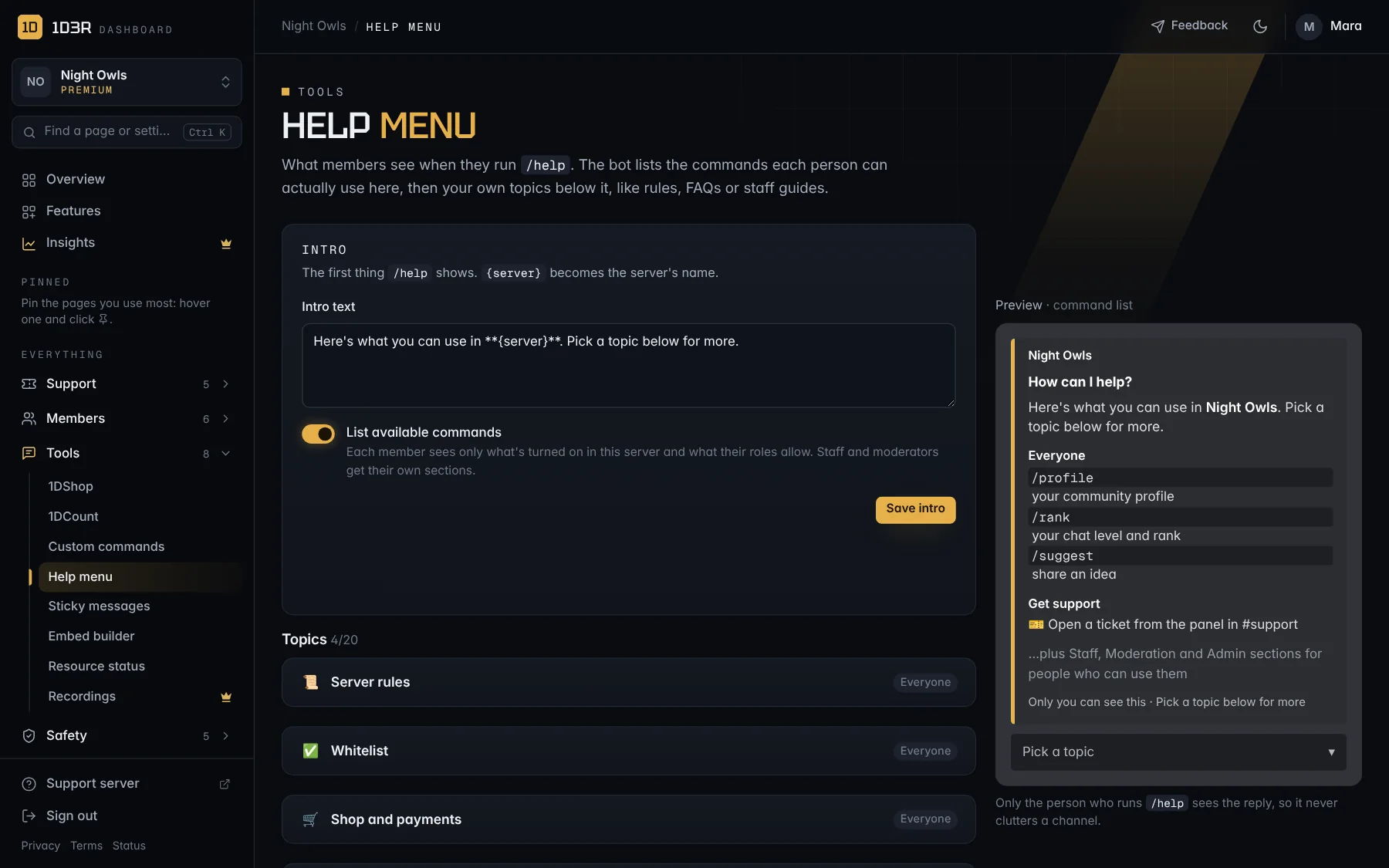
Write your own /help topics and see exactly what members will see.
Your server stays yours
Our own team works from counts and settings, never your conversations. Tickets, transcripts and applications are for your staff only.
- We don’t read your server. Our admin tools show how many tickets and AI requests a server uses, not what was said.
- No ads, nothing sold. We don’t sell or share personal information.
- Delete on request. Server owners can ask us to remove their server’s data at any time.
- Plan
- Premium
- Members
- 1,410
- Tickets this month
- 212
- AI requests this month
- 1,038
- Ticket messages
- Not visible to us
- Transcripts
- Not visible to us
- Applications
- Not visible to us
Docs
Step-by-step guides for setting up each feature.
- Getting startedAdd 1D3R to your serverInvite the bot, give it the right role position, and check it's working. About two minutes.
- Getting startedSign in and find your way aroundOpen the dashboard, pick your server, and learn where everything lives.
- Getting startedFinish setting upThe seven-step checklist on your Overview, and the core settings every server needs.
- Getting startedLet your team into the dashboardChoose which Discord roles can open each part of the dashboard.
- Getting startedPremium and Premium codesWhat Premium adds, how to subscribe, and how to redeem a code.
- SupportSet up ticketsPost a ticket panel so members can open private support tickets with your team.
Questions
What does it cost?
Tickets, the AI assistant, moderation, AutoMod, leveling, applications and the rest of the core features don’t cost anything. Premium adds voice recordings, web transcripts, staff ratings, insights, application pre-screening and custom branding.
Can I move over from the bots I use now?
Yes. Add 1D3R, set up one feature at a time in the dashboard, and remove each old bot once its replacement is working the way you like.
Does the AI read my whole server?
No. The support assistant only reads the ticket it’s answering and the questions people ask it, in servers where it’s turned on. It answers from the knowledge base you give it, and it can never ping @everyone, roles or users.
Who can change the settings?
The server owner, plus any roles the owner chooses. Each part of the dashboard can be opened by different roles, so moderators can manage tickets without touching anything else.
What permissions does the bot need?
The invite asks for Administrator so tickets, roles and logs work straight away. You can switch to narrower permissions later in your server settings.
Where can I get help?
Read the docs, or join the 1D3R support server on Discord to ask the team and other server owners.
What if the bot goes down?
Check the status page. It shows whether the bot is online and its uptime for the last 30 days.
Give your server one bot that does it all
Questions first? Join the support server.