1DPurge
A trap channel that removes spam bots and hacked accounts the moment they post in it.
Spam bots and hacked accounts post the same message in every channel they can see. 1DPurge turns one channel into a trap: nobody has a reason to post there, so anyone who does is caught. The bot deletes the message and kicks, bans or times out whoever sent it, whichever you choose.
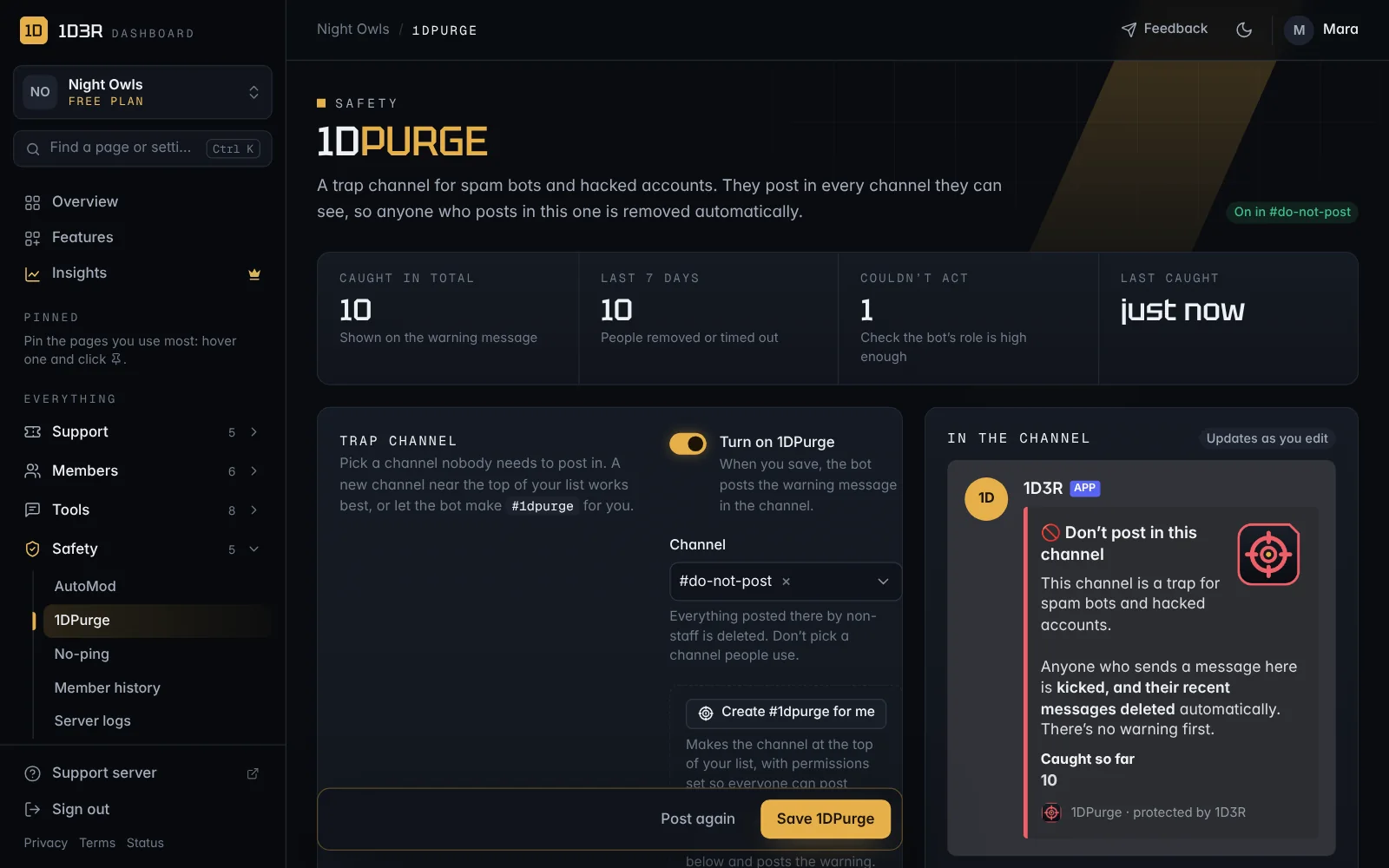
The bot posts a warning in the channel so real members know to stay out. The warning shows how many people have been caught so far, and the count goes up by itself.
Set it up
- In the dashboard, open 1DPurge in the sidebar (under Safety).
- Press Create #1dpurge for me. The bot makes a
#1dpurgechannel at the top of your channel list, sets it so everyone can see it and post there, turns 1DPurge on and posts the warning. The bot needs the Manage Channels permission for this. - Choose What happens to them (see below) and press Save 1DPurge.
Want to use a channel of your own instead? Create it in Discord, choose it under Channel, switch on Turn on 1DPurge and save. Two things matter:
- Put it near the top of your channel list, where bots see it first.
- Make sure @everyone can see the channel and send messages in it. If members can't post there, the trap can't catch anyone. The dashboard warns you if this is the case.
You need the AutoMod dashboard permission to change 1DPurge.
What happens to them
| Choice | What it does |
|---|---|
| Kick and delete their recent messages (recommended) | Removes them and deletes what they posted in the time you pick, so the spam they sent to other channels disappears too. They can rejoin, which suits hacked accounts whose owners get them back. |
| Ban | Removes them for good. You can also delete their messages from the last hour, day or 7 days. |
| Kick | Removes them. Their other messages stay. |
| Time out | They stay in the server but can't talk or join voice for 10 minutes up to 28 days. |
| Only alert staff | Nobody is punished. Use it for a few days to see who the trap would catch before turning it on properly. |
With Send them a DM saying why on, the bot messages them before they're removed (it can't DM them afterwards). Unless they were banned, the DM tells them they can come back, and to change their password if they didn't send the message.
Who is never caught
So your team can still post in the channel (to pin a note, say), these are always ignored:
- The server owner and bots.
- Anyone with Administrator, Manage Server, Manage Messages, Manage Roles, Kick, Ban or Timeout Members.
- Your staff and moderator roles (set in Settings).
- Any roles you add under Also ignore these roles.
The warning message
The bot posts the warning when you save and keeps it up to date. You can change the title and text. Two placeholders fill themselves in:
{action}becomes what happens, like banned or timed out for 1 day.{count}becomes the number of people caught.
The count is also shown under the message. It updates at most every 15 seconds, so a wave of spam bots doesn't hit Discord's limits.
- If someone deletes the warning, the bot posts a new one the next time it catches someone, or when the bot restarts.
- Post again deletes the warning and posts it again, at the bottom of the channel.
- If you move 1DPurge to another channel, the old warning is removed and a new one is posted.
- If you turn 1DPurge off, the warning is removed, since it's no longer true.
Where staff see catches
Each catch is posted to the Alert channel you choose, or the AutoMod alert channel if you leave it empty, or your moderation log. The alert shows what they wrote, how old their account is, when they joined, and a Member history button.
Catches also appear:
- under Recent catches on the 1DPurge page,
- on the member's timeline in Member history.
If it can't act
The bot needs Ban Members (for kick-and-delete or ban), Kick Members or Timeout Members, plus Manage Messages, Send Messages and Embed Links in the trap channel. Its role must also be above the roles of the people it removes.
If it can't act on someone, the alert says why, and Couldn't act on the 1DPurge page goes up. People the bot couldn't act on aren't added to the count.