Profile cards
Pick a theme for your members' /profile cards, choose what they show, let members unlock better cards, or design your own.
/profile shows a member's profile card. You choose how it looks for your whole server: pick a theme, choose what it shows, and optionally let members unlock better cards as they level up. With Premium, you can design your own card from scratch.
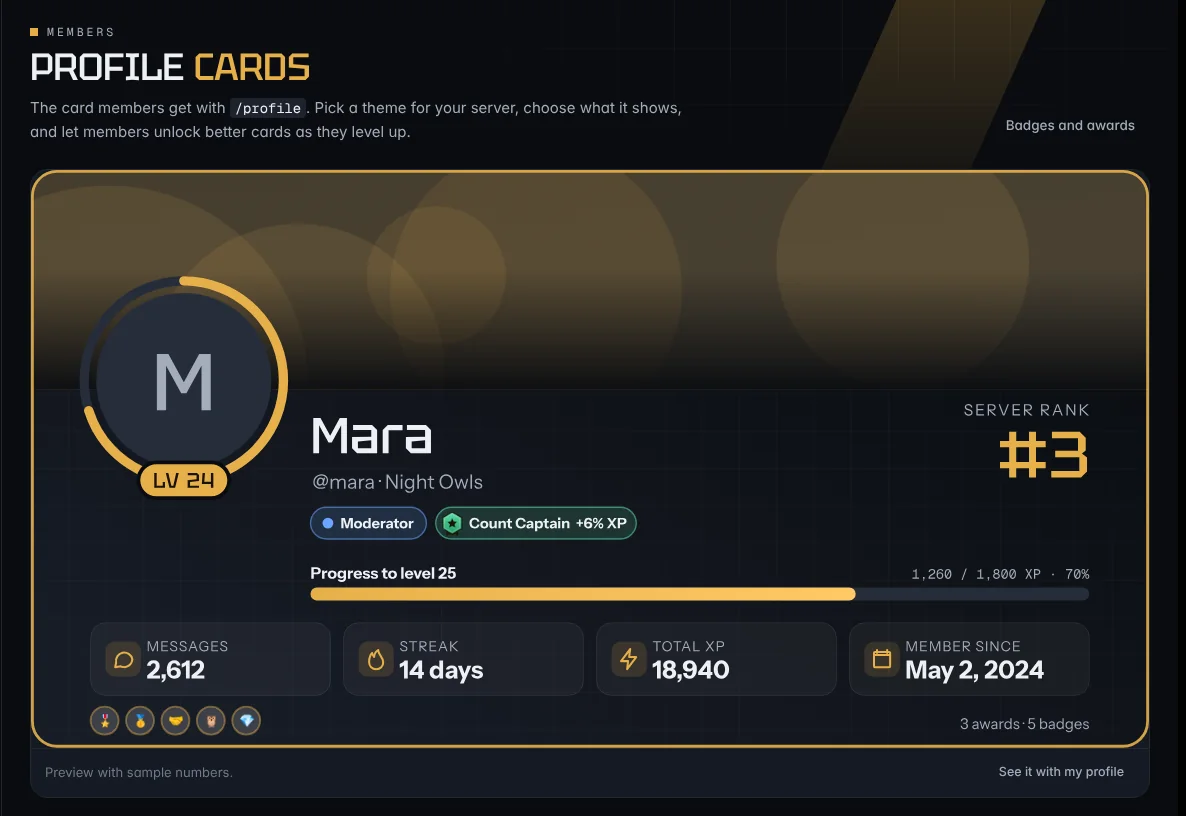
Pick a theme
- In the dashboard, open Profile cards (under Members).
- Click a theme. The big preview shows it with sample numbers. See it with my profile shows the real card with your own numbers.
- Press Save profile cards. New
/profilecards use it straight away.
There are 12 themes:
| Free | Premium |
|---|---|
| Night, Ocean, Clean, Forest, Sunset, Mono | Neon Arcade, Sakura, Gold Luxe, Count Legend, Holo, Arena |
Premium themes can be previewed by every server. Saving one needs Premium.
What the card shows
Every card has the member's avatar with a ring that fills as they earn XP, their name, level, server rank, XP progress, stats and badges. Most themes also show a banner, the server logo, their top role and their 1DCount rank.
- Accent color: use your own color instead of the theme's.
- Banner: the member's Discord banner (or else the server's), only the member's, only the server's, or the theme's own.
- Stats: pick up to 4 of server rank, messages, streak, member since, total XP, level, 1DCount, awards and badges.
- Show on the card: turn off the banner, logo, role and 1DCount chips, badges, the awards count, server rank, the @username line or the server name.
Details you turned off under Member profiles (messages, streak, join date, rank) stay off on every theme.
Unlockable cards
Optional. Members who reach a chat level, or a number of right counts in 1DCount, get a different card. For example: Night for everyone, Gold Luxe from level 25, and Count Legend at 1,000 counts.
- Switch on Let members unlock cards.
- In each row, choose At chat level or At 1DCount counts, the number, and the theme.
- Save. The highest card a member has reached is the one they get.
Premium themes can only be unlocked when the server has Premium.
Design your own card (Premium)
The card designer lets you change anything on the card.
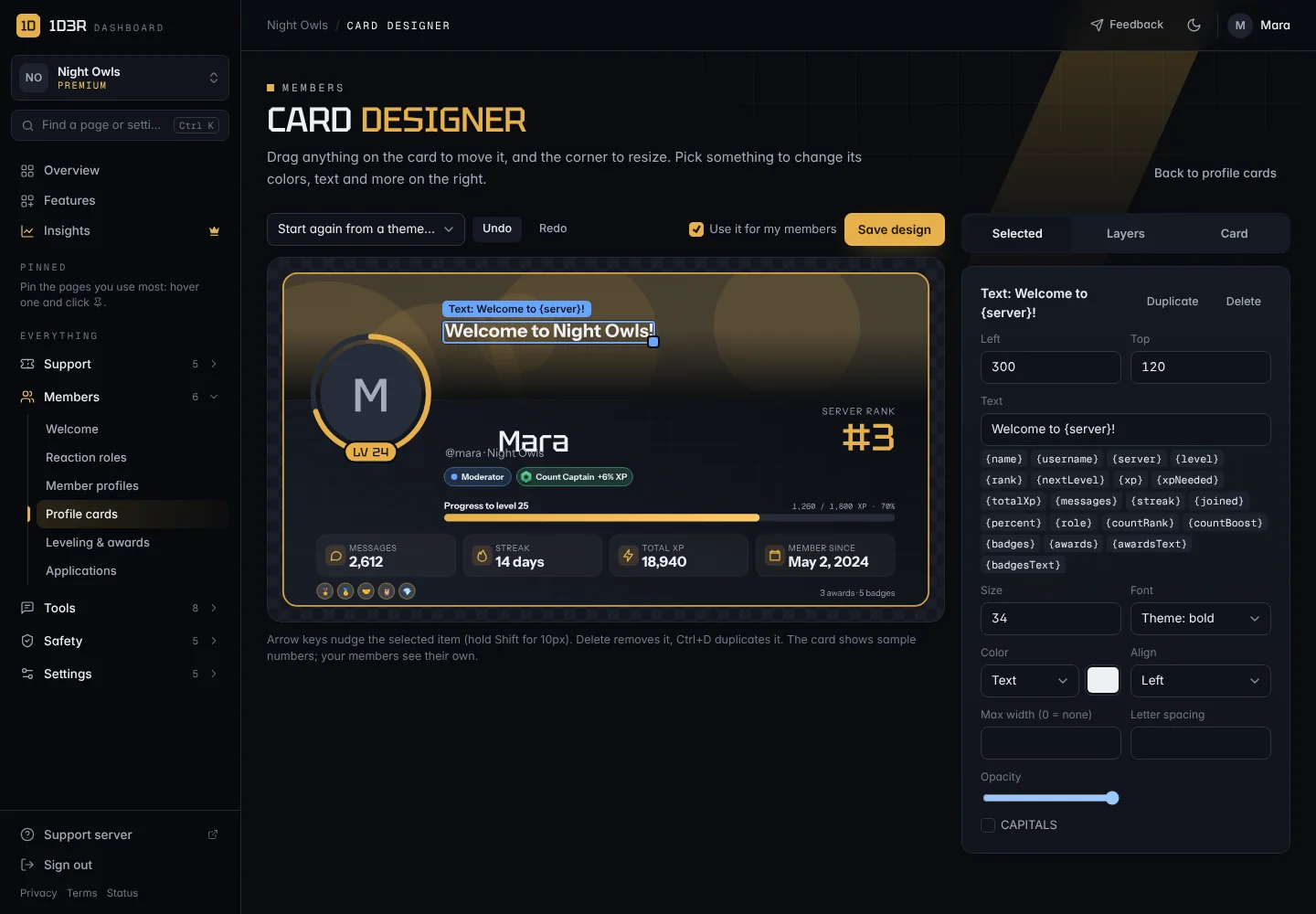
- On Profile cards, press Open the card designer. It starts from your current theme. To start from another, use Start again from a theme.
- Move anything by dragging it. Drag the blue corner to resize it. Arrow keys nudge the selected item (Shift moves 10px).
- Change it on the right, under Selected: position, size, colors, fonts, text and more.
- Layers lists everything on the card. Hide items, change their order, or Add new ones: text, images, boxes, stats, badges, an avatar, an XP bar, the logo, the server rank or a banner.
- Card sets the background (gradient, one color or your own picture), the pattern, the colors, the fonts, the height, the corners and the border.
- Press Save design. With Use it for my members ticked, everyone's card uses your design straight away.
Text can include details that fill in for each member, like {name}, {level}, {rank}, {server}, {messages}, {streak}, {role}, {countRank} and more. Click one under the text box to add it.
Images you add (up to 6 MB, PNG, JPG, WebP or GIF) are stored with the dashboard. Undo and redo work with Ctrl+Z and Ctrl+Y.
Every server can try the designer. Saving a design needs Premium. If a server's Premium ends, its members get the Night theme, and the design is kept for when Premium comes back.