Resource status
Live panels where members claim and release shared servers, tools or accounts.
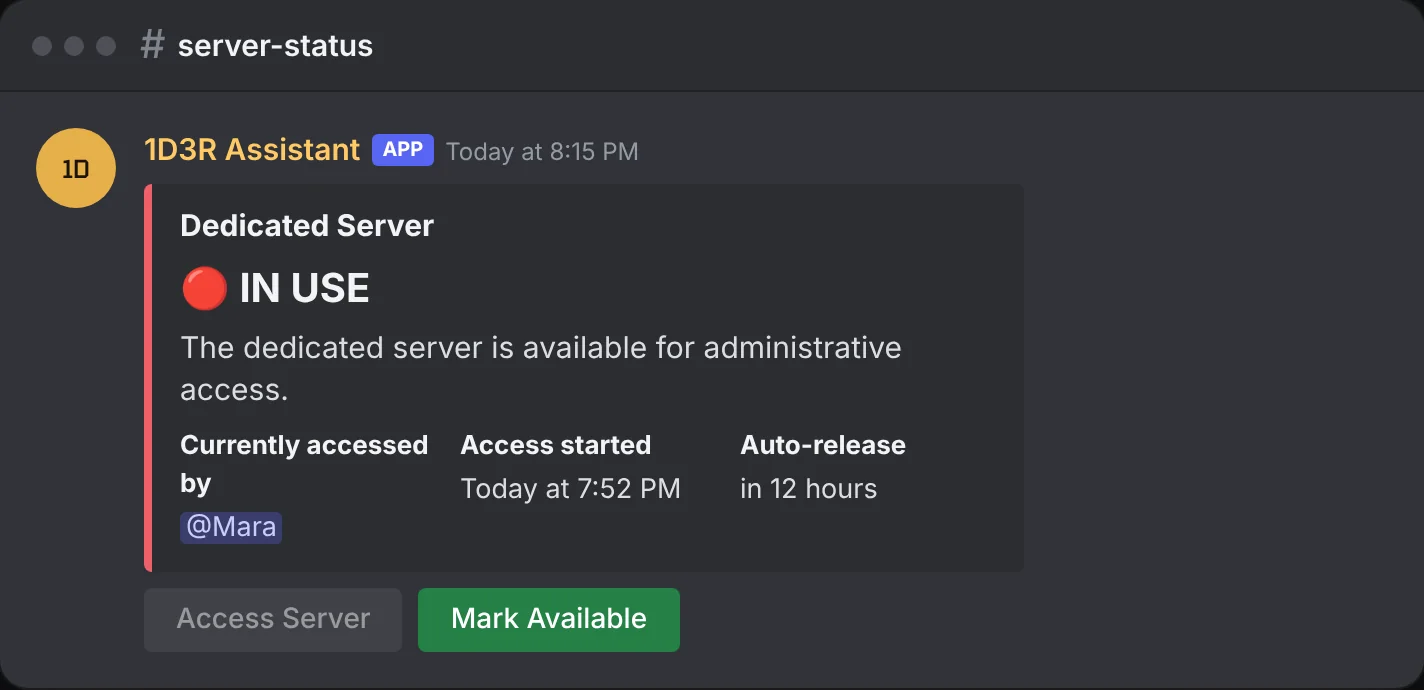
Resource status panels show who's using something shared, like a test server, a vehicle, an admin account or a department slot. Members press one button to claim it and another to release it.
Add a resource
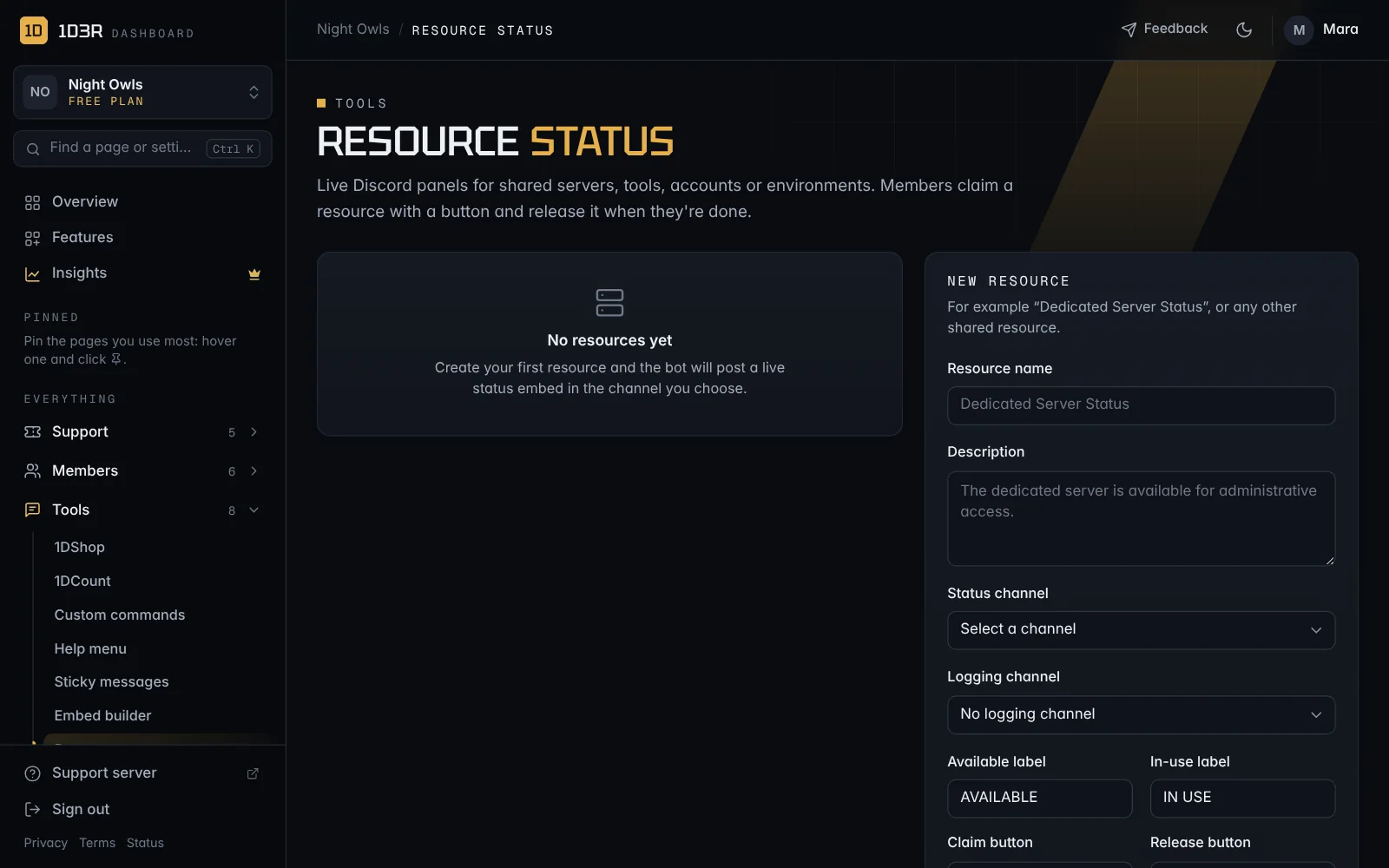
Open Resource status and fill in New resource:
- Resource name and Description
- Status channel: where the live panel is posted.
- Logging channel (optional): a record of every claim and release.
- Available label and In-use label, like AVAILABLE and IN USE.
- Claim button and Release button text, like Access Server and Mark Available.
- Auto-release after: releases it automatically after this many hours, in case someone forgets.
Check people are still using it
Switch on Require periodic usage confirmation by DM to have the bot check in with whoever holds the resource. Set Check every and Reply within (by default every 2 hours, with 30 minutes to reply). If they don't answer, it's released. If the bot can't DM them, the auto-release time still applies.