Server logs
Keep a record of edits, deletions, joins, bans and more in a channel.
Server logs post a record of what happens in your server to a channel, so your team can see who deleted a message or changed a role.
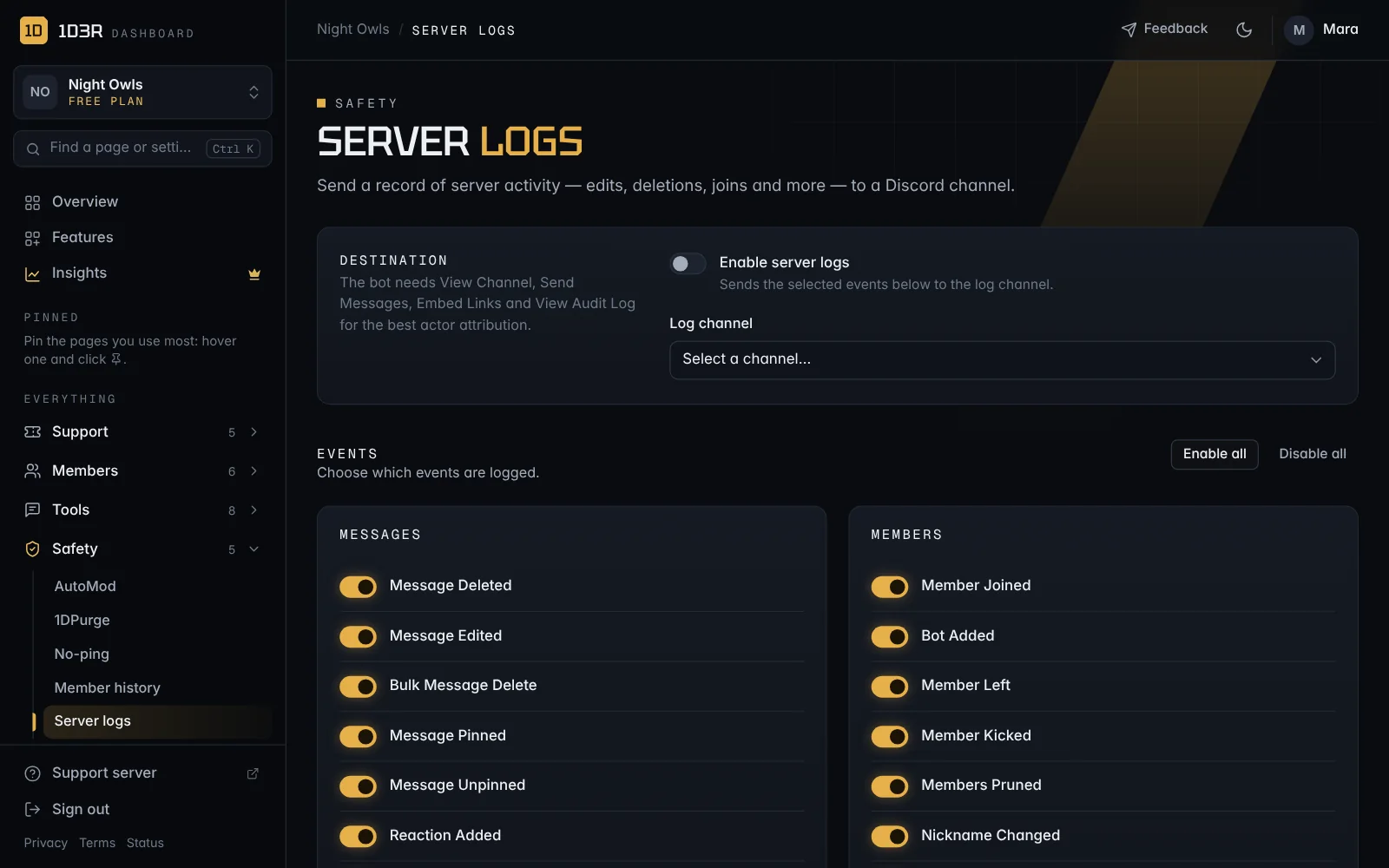
Set it up
- Open Server logs in the sidebar.
- Switch on Enable server logs and choose a Log channel. Make it a channel only staff can see.
- Under Events, switch on what you want logged. Enable all and Disable all are there to save clicks.
- Save.
What can be logged
- Messages: deleted, edited, bulk deletes, pins, reactions
- Members: joins, leaves, kicks, nickname and role changes, timeouts, username changes, bots added
- Moderation: bans, unbans, and Discord AutoMod actions and rule changes
- Roles: created, changed, deleted
- Channels & Threads: created, changed, deleted
- Voice: joins, leaves, moves, server mute and deafen, streaming and camera
- Server: settings changes, emoji, stickers and invites
What a log looks like
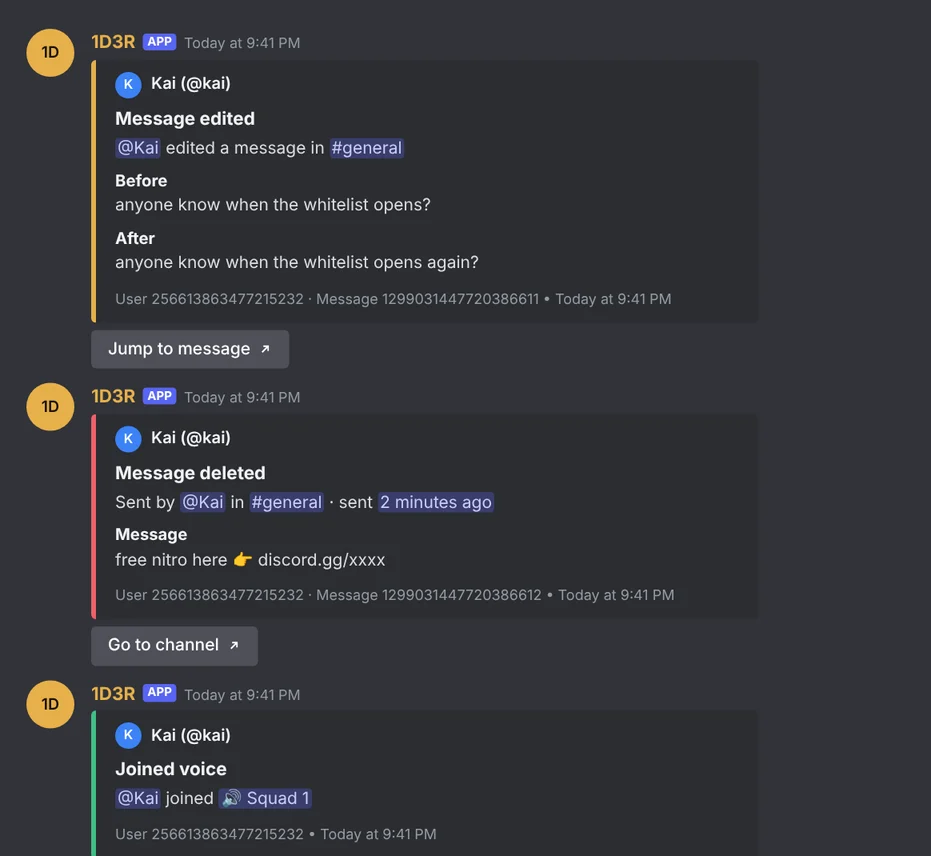
Each log is colour-coded: green when something was added or someone joined, red when something was deleted or someone left, gold for changes, and orange for things like timeouts.
- The person it's about is at the top, with their avatar.
- By shows who did it, and why if they gave a reason (from the audit log).
- Edited messages show Before and After, with a Jump to message button.
- Deleted messages show what the message said, if the bot saw it, with a Go to channel button. Pins and reactions have Jump to message too.
- The user, message or role ID is in the footer, so you can copy it.
What isn't logged, on purpose
These used to fill log channels with noise, so they're skipped:
- Link previews and images refreshing. Discord re-sends old messages when it updates their previews, often as people scroll back. Only real edits are logged.
- Edits by bots, including 1D3R's own panels updating their numbers.
- Mute, deafen, stream and camera when someone joins or leaves voice. Joining is one log. Those changes are only logged while someone stays in a channel.
- Every role shifting when you move one. Dragging a role logs one Role order changed message that names the role you moved and says how many others shifted.
- Threads archiving themselves after they go quiet.
Note: If a message was sent before the bot last restarted, the bot never saw its original text. Edits to it still log, with Before marked as not saved.
Tip: Make sure the bot has the View Audit Log permission (it does if you kept Administrator). That's how the logs show who made a change, not just what changed.