Embed builder
Design rich messages with a live preview, then post them to any channel.
The embed builder is for announcements, rules, info posts and anything else that should look polished.
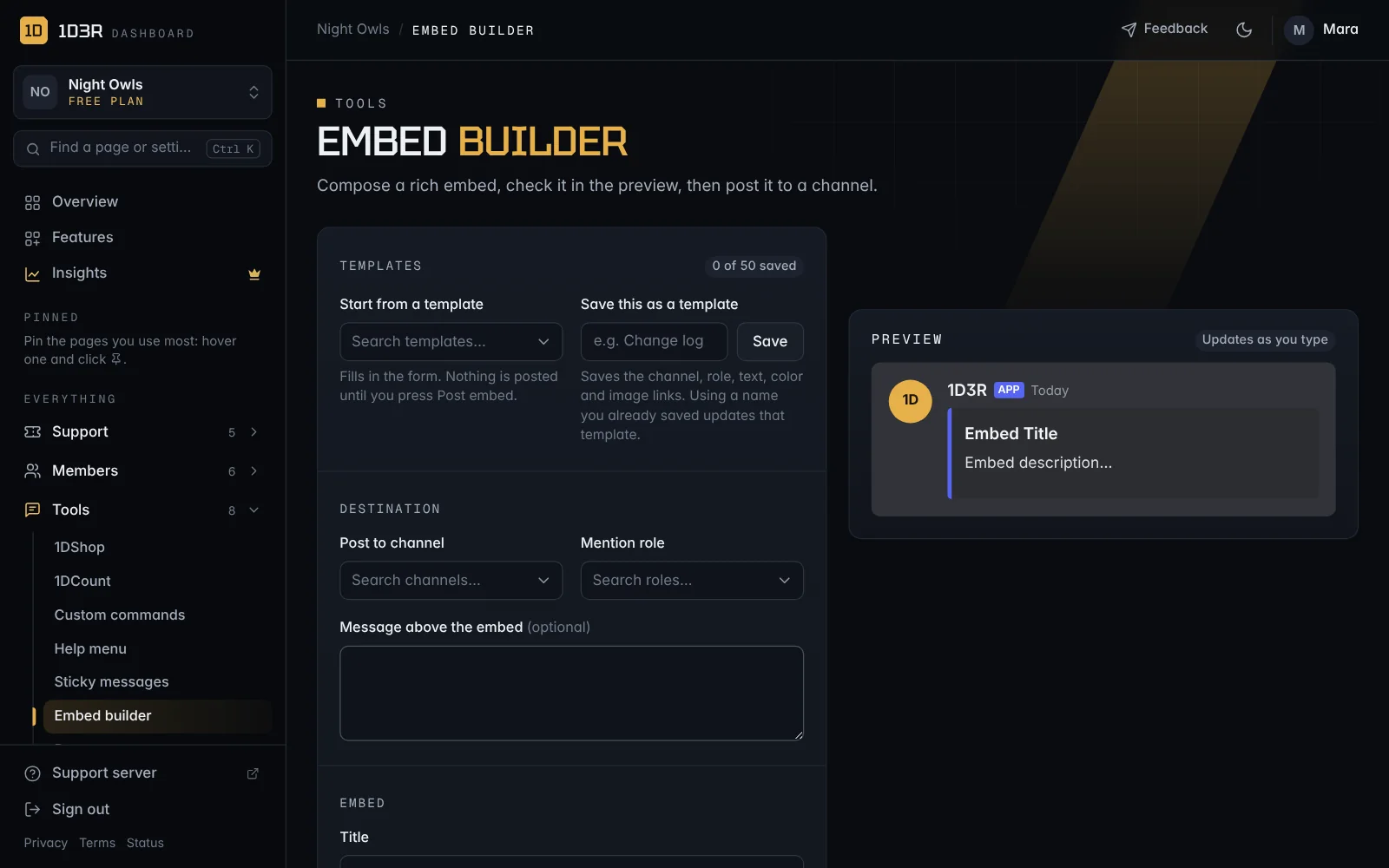
Build and post
Open Embed builder.
- Destination: the channel to Post to (type to search by channel or category name), and optionally a role to Mention and a Message above the embed.
- Embed: Title, Description, Color, Footer, and Include timestamp if you want the time shown.
- Images: a Thumbnail and a large Image, either as a link or uploaded (up to 8 MB). An uploaded image replaces the link.
- Check the preview, then post it.
Tip: Discord formatting works in the description:
**bold**,*italic*,- lists,[links](https://…)and<#channel>mentions.
Templates
Save embeds you post often, like a Change log, Event or Rules post, and load them in one click.
- Start from a template fills in the form. Nothing is posted until you press Post embed. Type to search your templates.
- Five starters are built in: Change log, Event, Announcement, Rules and Giveaway.
- To save one, type a name under Save this as a template and press Save. It keeps the channel, role, message, title, description, color, footer, timestamp setting and image links.
- Saving with a name you already used updates that template (the button changes to Update).
- Loaded a template over something you were writing? Press Undo to get your draft back.
- Pick one of your own templates to see Delete.
Each server can save up to 50 templates. Uploaded images aren't kept in a template, so use an image link instead. A saved channel or role that's been deleted is left empty when you load the template.