AI support assistant
Let the AI answer common questions in tickets and around your server, in your server's voice.
The support assistant answers members using your server's own knowledge: your FAQ entries and the solved tickets you've approved. When something needs a person, it hands the ticket to your staff.
Where it answers
There are two profiles, each set up separately on Support assistant in the sidebar:
- General inquiries: replies when members mention the bot outside tickets.
- Ticket assistant: replies inside tickets whose type has AI helper switched on.
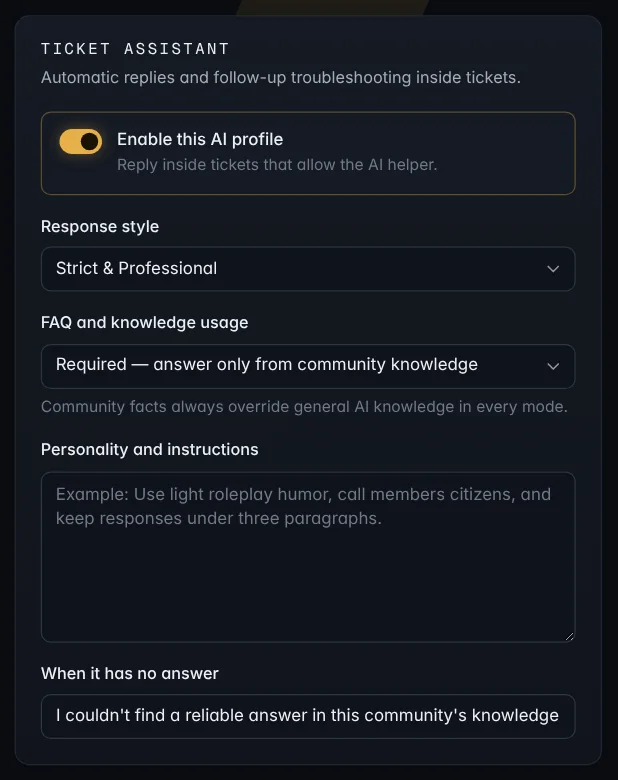
Set it up
For each profile:
- Switch on Enable this AI profile.
- Pick a Response style: Strict & Professional, Friendly & Balanced, Funny & Loose, or Custom.
- Choose FAQ and knowledge usage:
- Required: only answers from your server's knowledge. The safest choice.
- Preferred: your knowledge first, general knowledge allowed.
- Flexible: uses your FAQ when it helps, but doesn't need it.
- Optional: add Personality and instructions, like "Call members citizens and keep replies under three paragraphs."
- Set what it says When it has no answer.
Your server's facts always win over general AI knowledge, whichever mode you pick.
Note: The assistant can never ping @everyone, @here, roles or users, and your instructions can't override its safety rules.
Turn off all AI at once
Settings → AI → AI features is one switch for every AI feature in your server:
- the support assistant (both profiles) and the AI helper in tickets
- AI ticket summaries and suggested knowledge base entries
- the AI safety check in AutoMod
- AI pre-screening of applications
- voice recording transcripts and meeting notes
/kbsearch
Untick it and save, and none of them run. Nothing from your server is sent to the AI provider. On their own pages, those switches show as off and can't be turned on. Trying to turn one on explains that AI is off in Settings, with a link there.
Each feature keeps its own settings while AI is off. When you turn AI features back on, everything goes back to how you had it.
Staff stepping in
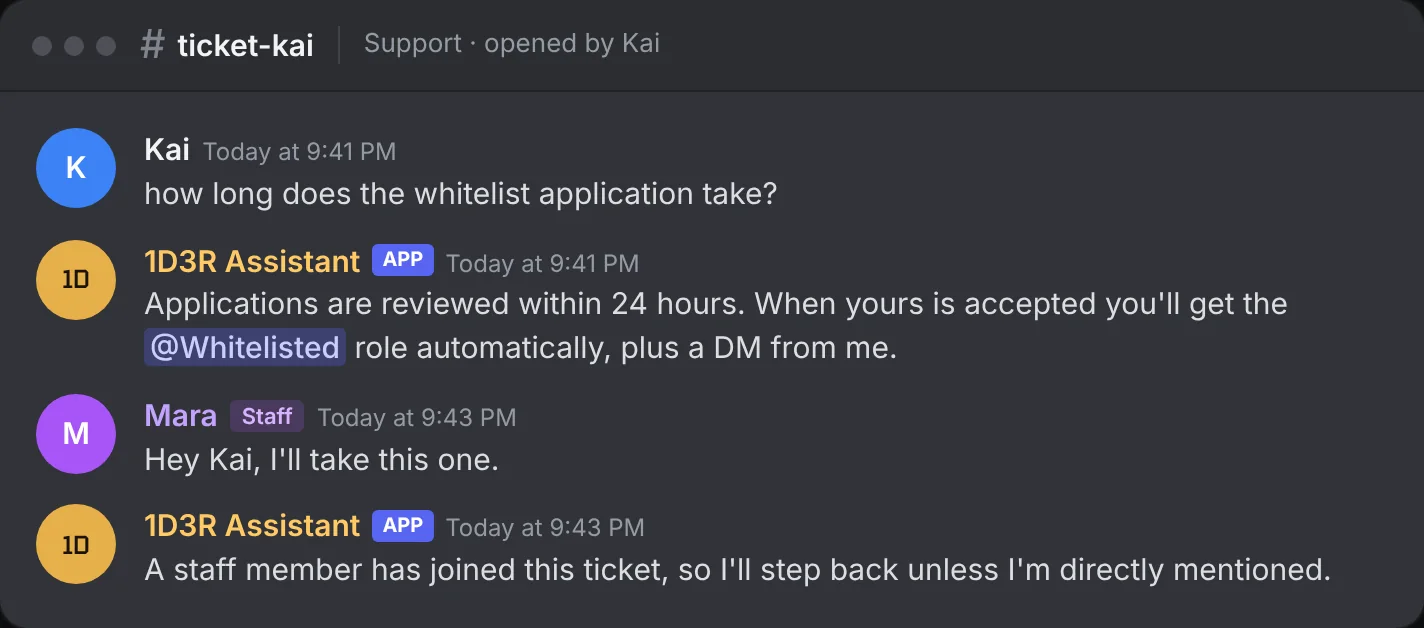
As soon as a staff member writes in a ticket, the assistant steps back and says so. It stays quiet unless someone mentions it directly, which brings it back.
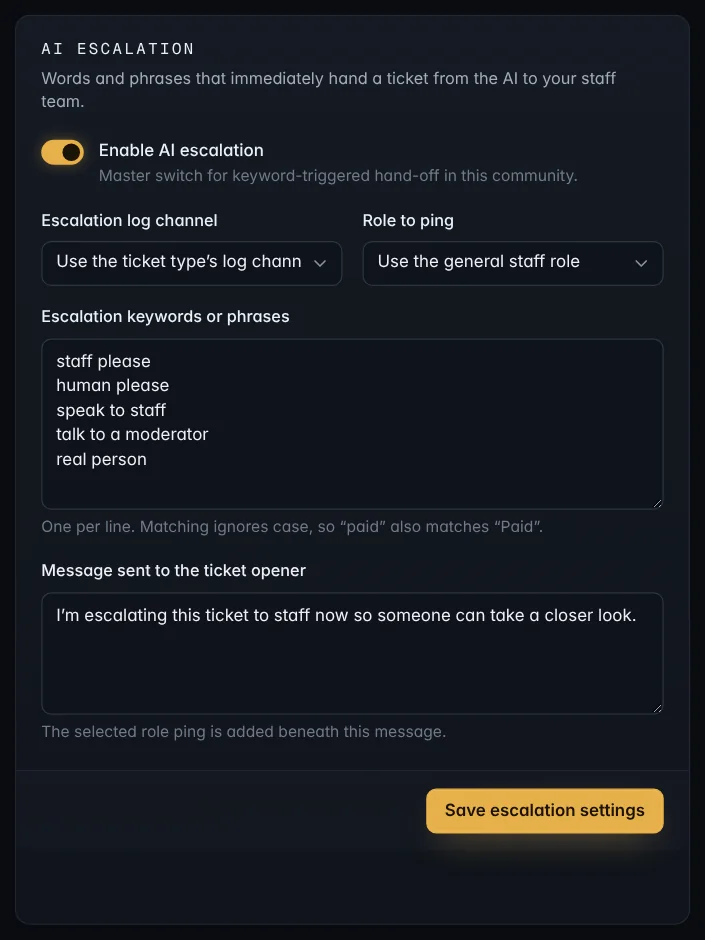
Hand-off words
On Tickets → AI escalation, list words and phrases that should send a ticket straight to staff, like human please or speak to staff. Choose a Role to ping, an Escalation log channel, and the Message sent to the ticket opener. The assistant also hands off by itself when your knowledge says something needs staff action.
Turning it off
- For one ticket type: switch off AI helper in that ticket type.
- For the whole server: switch off AI assistant under Settings → Features.
Make it smarter
The assistant is only as good as what it knows. Add FAQ entries and approve solved tickets: Knowledge base.