Moderation commands
Ban, kick, timeout, warn and more, with logs, DMs and automatic punishments.
1D3R adds fifteen moderation slash commands. Every action is logged to a channel you choose, and members can get a DM explaining why.
Turn them on
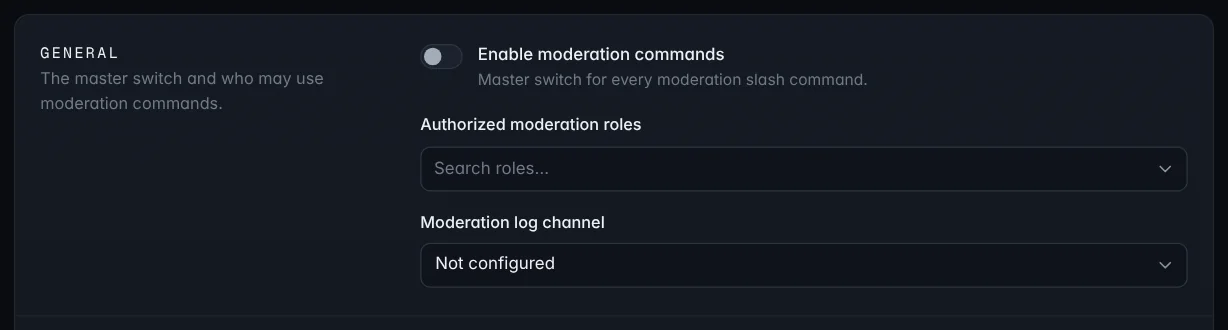
On Settings → Moderation → General:
- Switch on Enable moderation commands.
- Pick your Authorized moderation roles. Server administrators can always use the commands; these roles can too.
- Choose a Moderation log channel.
Note: The bot can only act on members whose highest role is below its own. See Add 1D3R to your server.
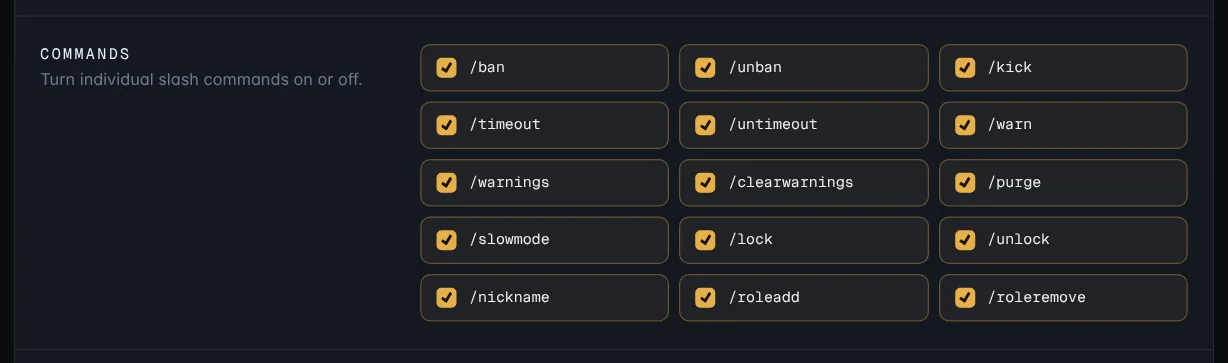
The commands
| Command | What it does |
|---|---|
/ban | Ban a member, optionally deleting their recent messages |
/unban | Unban someone by their user ID |
/kick | Kick a member |
/timeout | Mute a member for 5 minutes up to 1 week |
/untimeout | Remove a timeout |
/warn | Give a member a warning |
/warnings | See a member's active warnings |
/clearwarnings | Clear a member's warnings |
/purge | Delete up to 100 recent messages, optionally from one member |
/slowmode | Set slowmode for the channel (0 turns it off) |
/lock / /unlock | Stop or allow members talking in the channel |
/nickname | Change or reset a member's nickname |
/roleadd / /roleremove | Give or take a role |
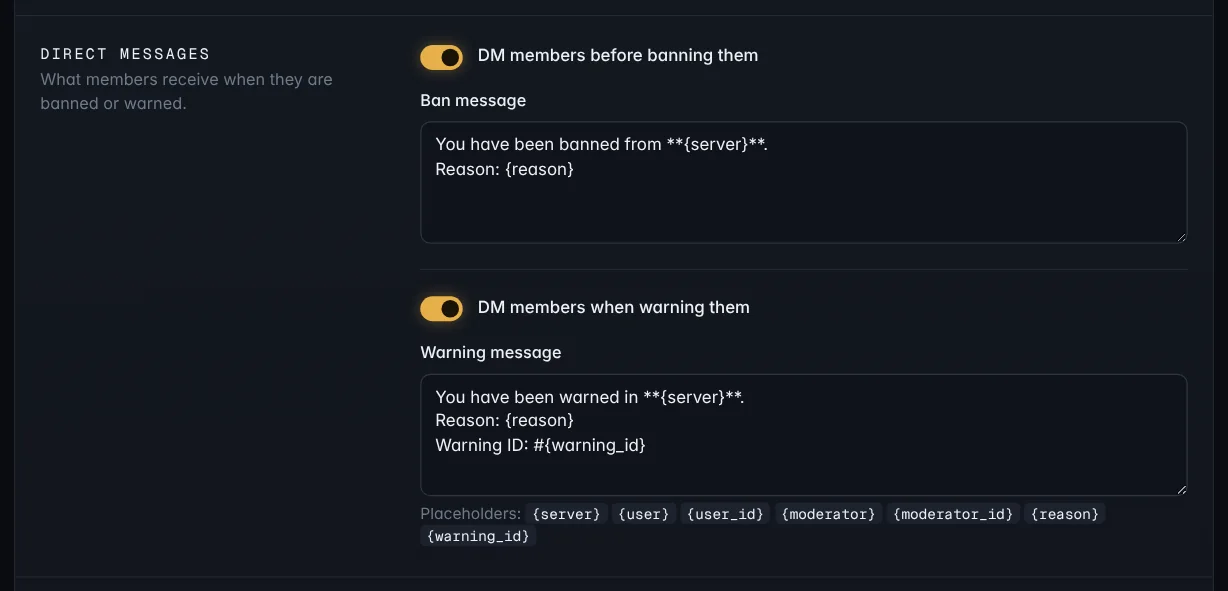
Most commands take a reason. It goes in the log and, for bans and warnings, in the member's DM.
Don't need some of them? Switch individual commands off under Commands.
Messages to members
Under Direct messages, choose whether members get a DM before they're banned and when they're warned, and write the messages.
Automatic punishments
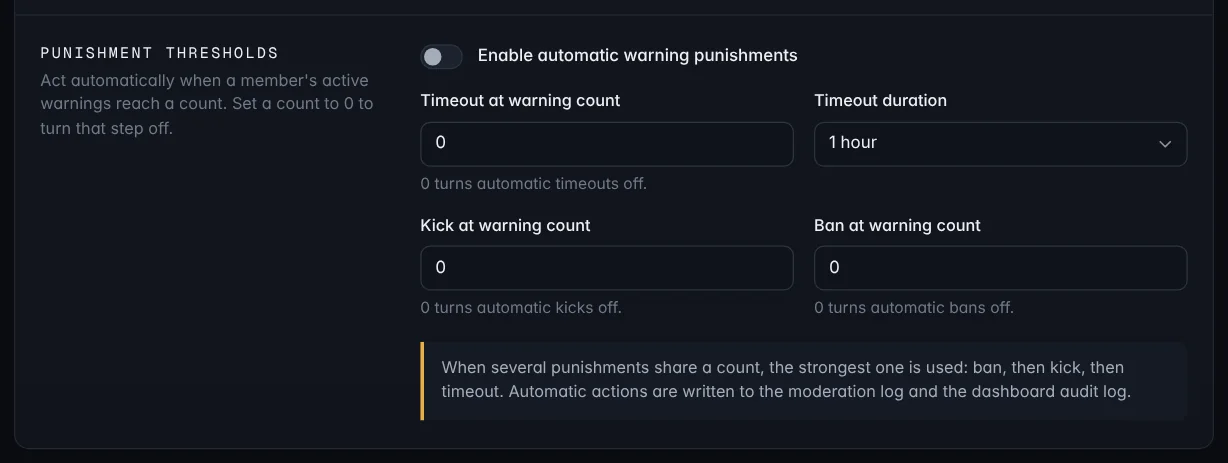
Under Punishment thresholds, switch on Enable automatic warning punishments to act when a member's active warnings reach a count:
- Timeout at warning count, with a Timeout duration
- Kick at warning count
- Ban at warning count
Set a count to 0 to skip that step.
See a member's record
Every warning and action is kept. To see everything about one member on a single page, open Member history in the sidebar, or type /history in Discord. See Member history.