AutoMod
Catch spam, invite links and blocked words automatically, with raid protection.
AutoMod watches messages and acts the moment a rule is broken, so your moderators don't have to. Every action is posted to a staff alert channel and listed under Recent incidents.
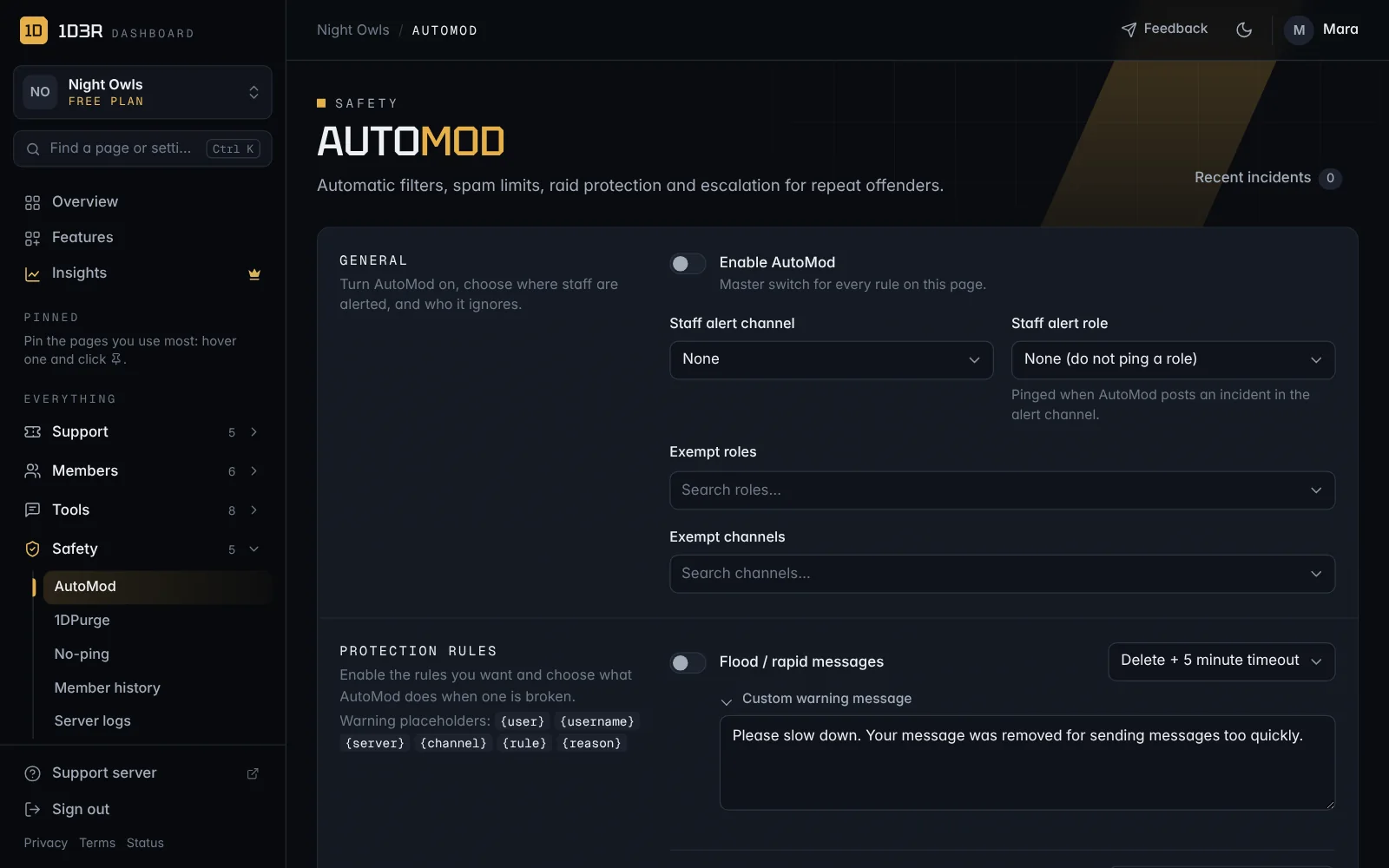
Turn it on
Open AutoMod in the sidebar. Under General:
- Switch on Enable AutoMod.
- Choose a Staff alert channel, and optionally a Staff alert role to ping when AutoMod acts.
- Add Exempt roles (like your staff) and Exempt channels that AutoMod should ignore.
Choose your rules
Under Protection rules, switch on the rules you want and choose what happens when one is broken:
- Flood / rapid messages and Repeated duplicate messages
- Mass mentions, Emoji spam and Attachment spam
- Discord invite links and External links
- Excessive capital letters
- Blocked words / phrases and Custom regex rules
- Very new account messaging: stop brand-new accounts posting
For each rule, pick an action, from Delete message up to Delete + ban, with or without a warning. Open Custom warning message to change what the member is told. Placeholders like {user}, {rule} and {channel} fill themselves in.
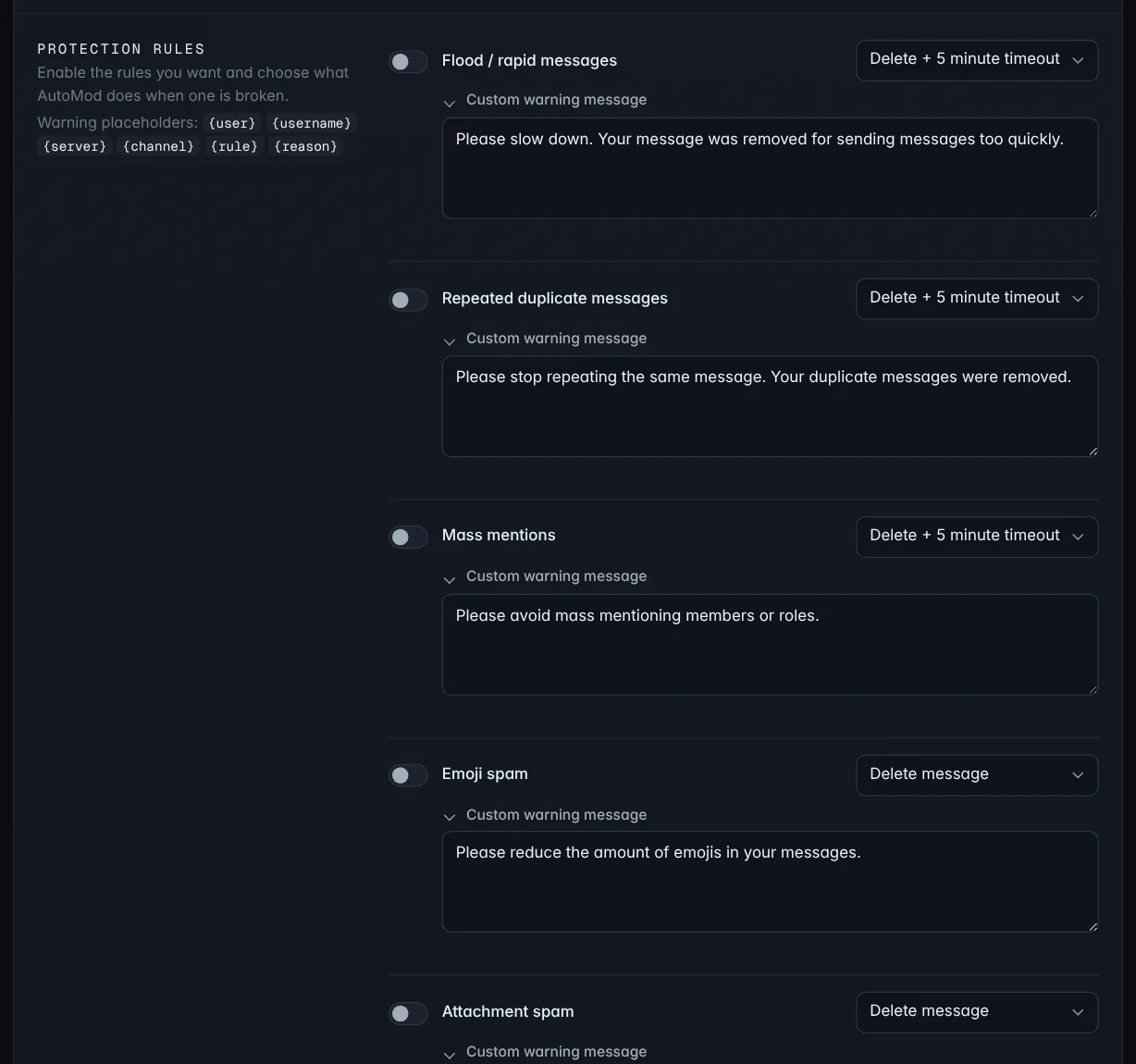
Thresholds set the limits the rules check against: how many mentions, emoji or attachments are too many, what counts as too many capitals, and how new an account has to be. Content filters hold your blocked words (one per line) and regex patterns.
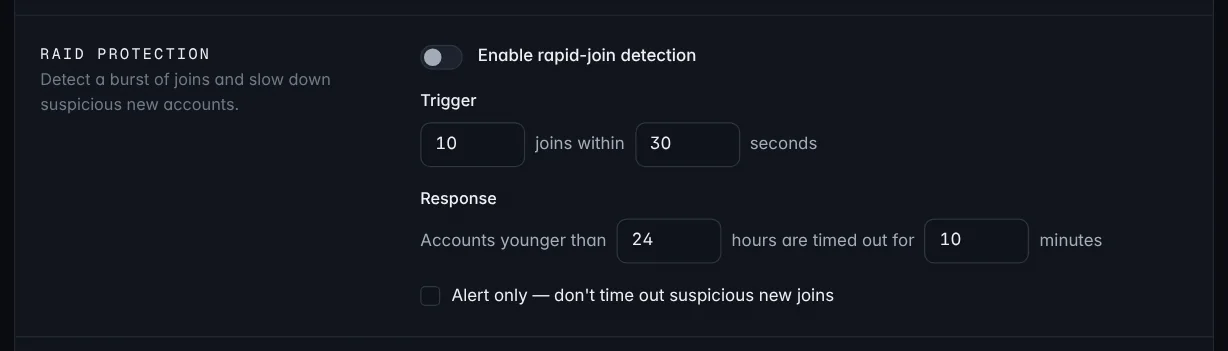
Raid protection
Switch on Enable rapid-join detection to spot a burst of joins in a short time and slow down suspicious new accounts.
Repeat offenders
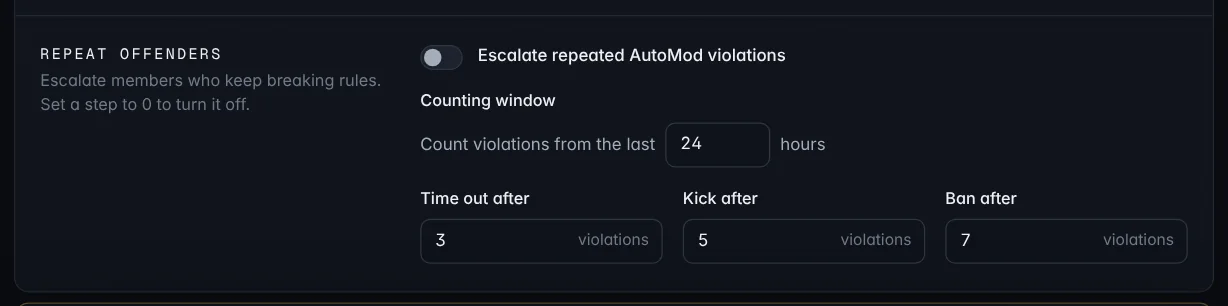
Switch on Escalate repeated AutoMod violations to step up the punishment for people who keep breaking rules: Time out after, Kick after and Ban after a number of violations. Set a step to 0 to turn it off.
All AutoMod settings save together with the button at the bottom of the page.