Welcome messages
Greet new members with a message or embed and give them a starting role.
Greet people the moment they join, and optionally give them a role automatically.
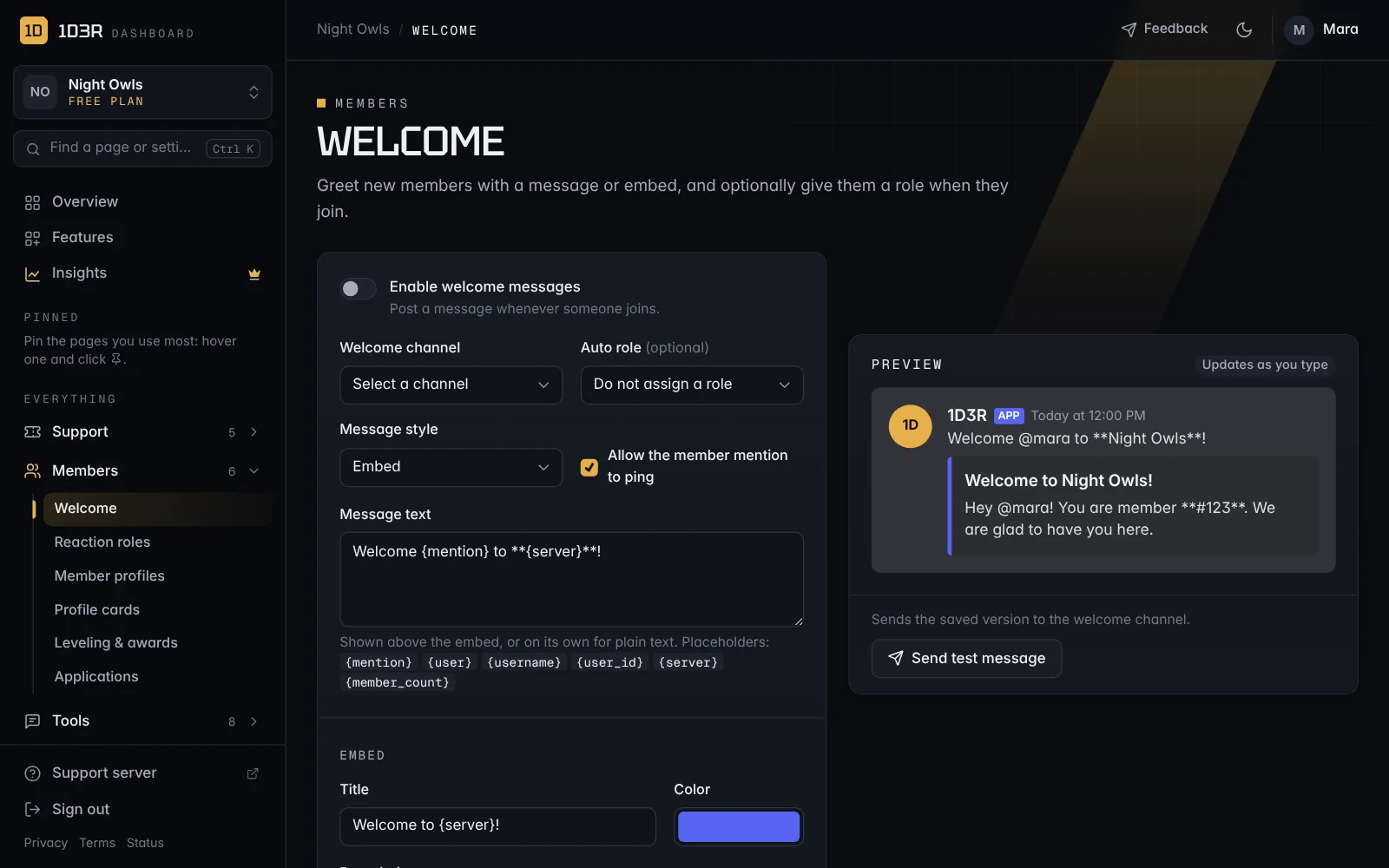
Set it up
Open Welcome in the sidebar.
- Switch on Enable welcome messages.
- Choose a Welcome channel.
- Optional: pick an Auto role every new member gets.
- Choose a Message style: Embed or Plain text.
- Write the Message text. These fill themselves in:
| Placeholder | Becomes |
|---|---|
{mention} | A mention of the new member |
{user} / {username} | Their name |
{user_id} | Their user ID |
{server} | Your server's name |
{member_count} | How many members you have now |
- For an embed, fill in the Title, Color, Description, and optionally an Author, a Large banner image, a Thumbnail and a Footer.
- Save, then press Send test message to post the saved version in your welcome channel.
Note: For the auto role to work, the bot's role has to be above it. See Add 1D3R to your server.