Handle tickets as staff
Claiming, transferring, adding people, asking to close, and closing tickets.
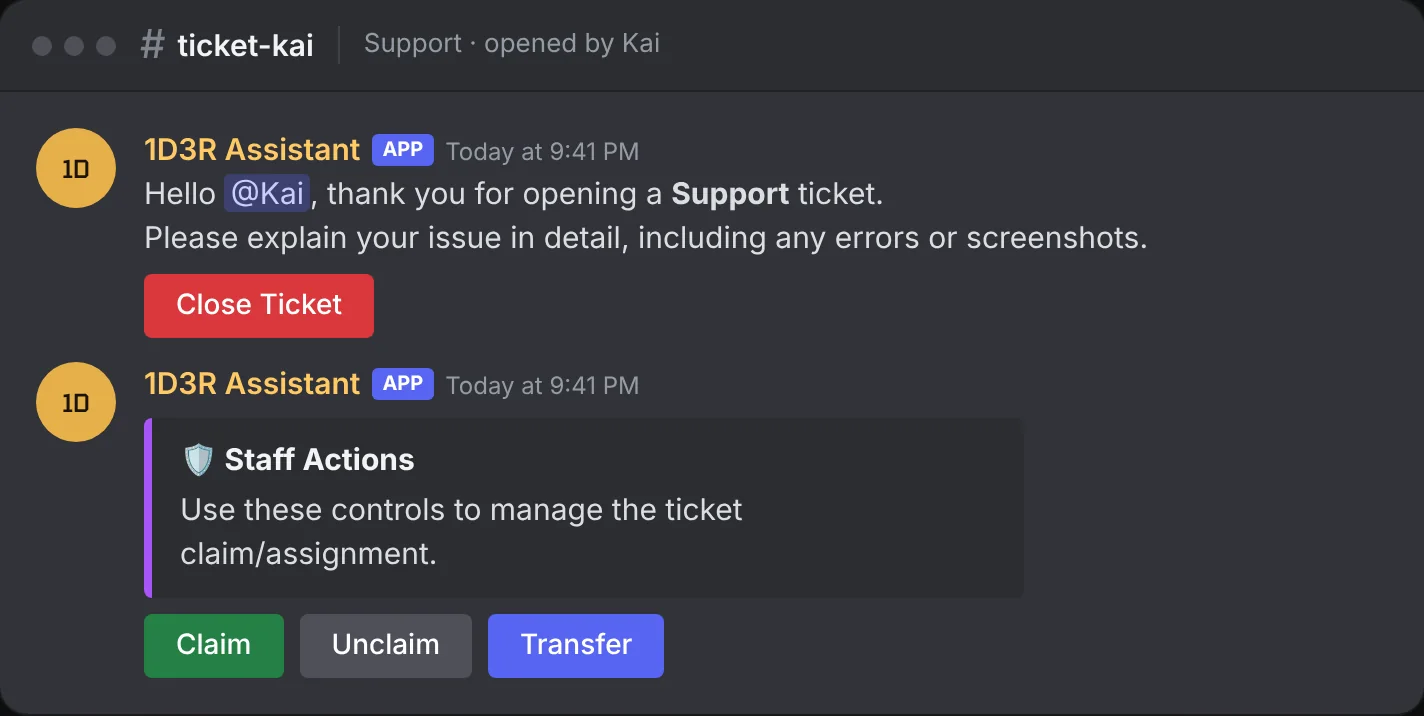
Anyone with your Staff role (set on Settings) can work tickets. Each new ticket starts with two messages from the bot.
Claim a ticket
Press Claim, or run /claim, to take a ticket. While it's claimed, only you and the member can talk in it. Messages from other staff are removed, with a note asking them to reach you in your staff channels.
- Unclaim (
/unclaim): hand it back so any staff member can reply. - Transfer (
/transferclaim): give the claim to someone else on the team.
Add or remove people
/adduser @member: bring someone else into the ticket, like a witness or another staff member./removeuser @member: take them out again.
Ask to close
When you think a ticket is done but want the member to confirm, run /closerequest with a number of hours and a reason. The member gets Accept Close and Keep Open buttons. If they don't answer before the time runs out, the ticket closes by itself.
Close a ticket
Press Close Ticket and enter a reason. The bot then:
- Saves a transcript of the conversation, if the ticket type has Transcripts on.
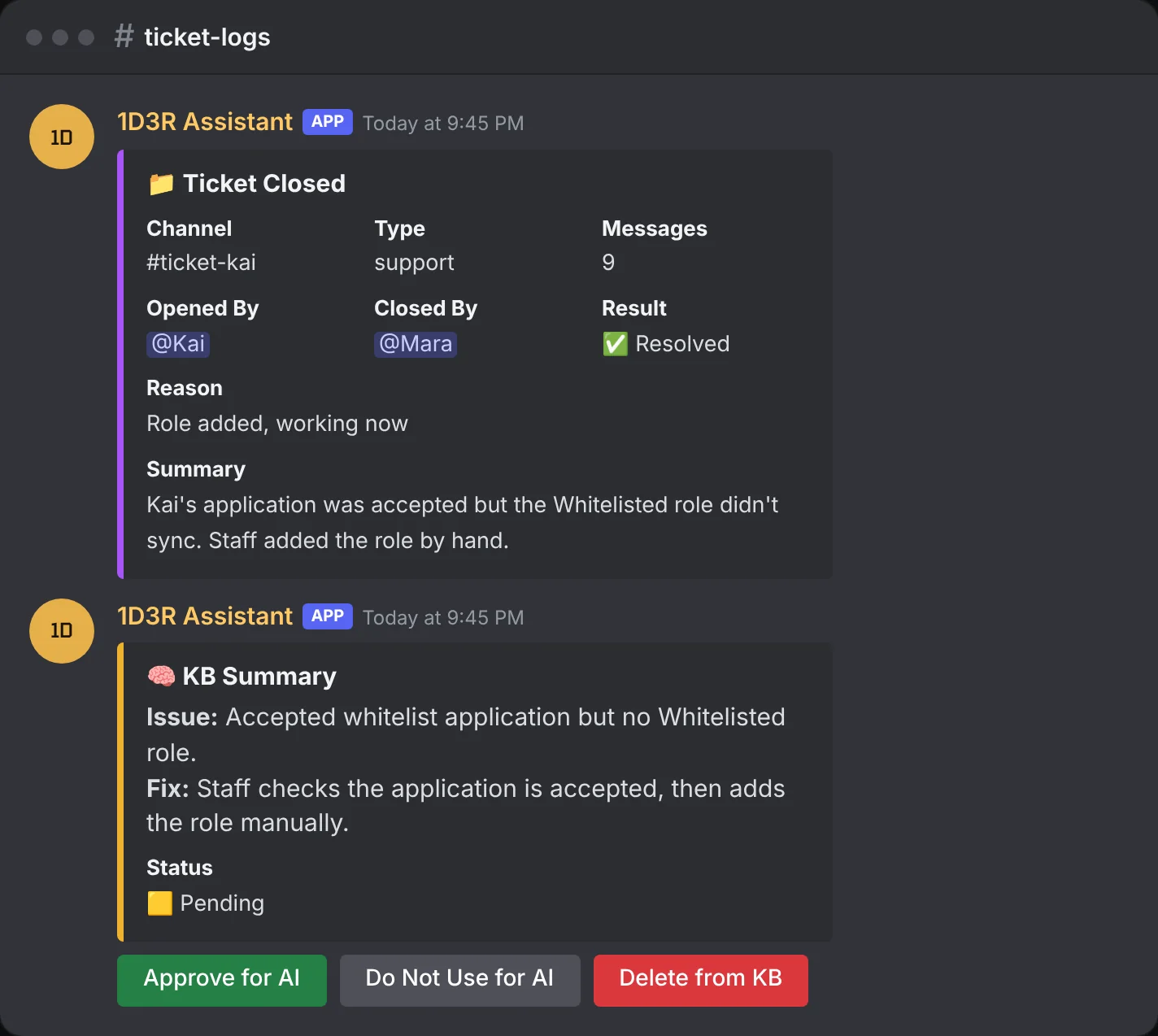
- Posts a log in the ticket type's Log and transcript channel: who opened and closed it, the reason, and a short AI summary of the problem and how it was solved. See Where closed tickets go.
- Posts a KB summary you can approve so the AI assistant can learn from the ticket (see Knowledge base).
- Deletes the ticket channel.
Premium: With Premium, every closed ticket also gets a web transcript your staff can read on the dashboard. Pictures posted in the ticket are saved with it (up to 5 MB each), so they still show long after Discord's own links stop working. The member gets a rating request. Their first pick is locked in and can't be changed, though they can add one comment. Your team's ratings and reply times show up on the Staff page and in
/mystats.
Staff commands at a glance
| Command | What it does |
|---|---|
/claim | Claim the ticket you're in |
/unclaim | Release your claim |
/transferclaim | Give your claim to another staff member |
/adduser | Add someone to the ticket |
/removeuser | Remove someone from the ticket |
/closerequest | Ask the member to close, with a time limit |
/ticketpanel | Post the ticket panel here (admins) |